
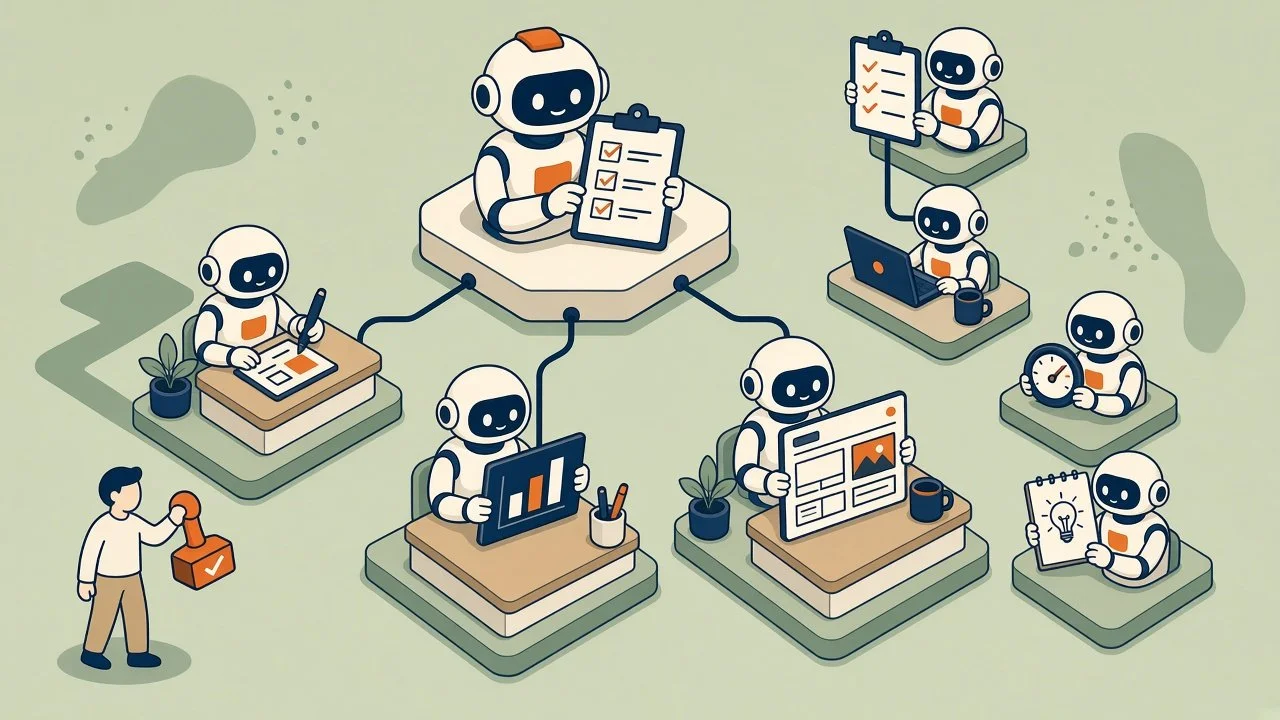
About two weeks ago I set up a single Grok Bot to write our blogs. I called it the Content Lead. It reads our brand file, follows a writing checklist, and drafts a post every Monday for me to edit.
That worked well enough that I started handing it more. Social posts. Case studies. Then I asked it to update pricing on a few website pages, and that’s where I learned my first lesson.
TL;DR: I started with one Grok Bot writing blogs. Within two weeks I needed an Ads Manager, a Web Designer, and a Marketing Manager to keep them coordinated, and after a Grok webinar I added a dev team with a Product Manager running it. The bots weren’t the hard part. Deciding who owns what, and where a human signs off, was.
One bot, one job: a blog writer is not an ads runner or a web designer.
Handoffs written down: Content Lead writes; Web Designer owns pages.
A manager bot: someone has to own the weekly plan and route work.
Human on the final OK: bots draft and stage; nothing goes live without approval.
Connected tools beat browser clicking: proper connections are fast; fighting a page editor is not.
How it started: one bot, one job
The Content Lead was meant to do one thing well. Write our company blog in our voice, with our rules, for me to review.
When I stretched it into website layout work, it spent a lot of time fighting the editor. That’s a designer’s job, not a writer’s. Lesson one: a good writer isn’t a web designer.
Stage two: one bot can’t do every job
A bot that’s good at writing blog posts isn’t automatically good at running Google and Meta ads. Those are different jobs with different tools.
So I added an Ads Manager for Google and Meta. Then I added a Web Designer bot that owns site pages, layout, and SEO.
The handoff is now written down. The Content Lead writes blogs, social posts, video scripts, and case studies. If a page needs long-form copy, it writes the copy and hands it to the Web Designer to lay out. It doesn’t touch the pages itself.
Stage three: someone has to manage the bots
Three or four bots working on their own turned into a coordination problem fast. Who’s working on the website this week? Did the ads match the new pricing? Who’s waiting on whom?
So I added a Marketing Manager bot. It owns the weekly plan, hands tasks to the other bots, and checks that work lines up. When I approve something, I tell the Marketing Manager, and it routes the task to whoever owns it. The bots hand off to each other through the manager instead of stepping on each other.
If that sounds like a regular org chart, it is. That was the surprise.
Stage four: a dev team, after a Grok webinar
I went to a Grok webinar where they walked through setting up a dev team of bots, with a Product Manager as the orchestrator. I came out of it and built ours:
Product Manager: runs the team and decides what gets built next.
Metrics bot: tracks how people use our app and makes recommendations each week.
Full-Stack Developer: turns ClickUp tickets into small code changes a person reviews before they go live.
Designer: sketches the flows and screens before anyone writes code.
Around the edges, I also have a Chief of Staff bot that keeps an eye on all the others, a Project Manager (separate from the Product Manager) that tracks client projects in ClickUp, an Email Manager, and an AI Briefing bot that sends me a digest every Friday.
What I learned
Give every bot a lane. The mess started when one bot did everything. It got better when each job had one owner and the handoffs were written down. (More on this in One AI Can’t Be Good at Everything. Build Three Instead.)
A human approves before anything goes public. Our bots draft, stage, and queue. They don’t publish a blog, push a social post live, or take a page live without my OK. When client names or quotes are involved, the client approves in writing too.
Stage first, then go live. Every website change goes onto a hidden copy of the page first. I can look at it, ask for changes, and nothing on the live site moves until I say so.
Connected tools beat clicking around a browser. When a bot works through a proper connection to a tool, it’s fast and reliable. When it has to click through a website editor like a person, it’s slow and it breaks. Some of our longest days were a bot fighting a page layout. If a tool offers a real connection, use it.
Write the rules down once. When I change how something works, the bot saves it as a standing rule. I don’t repeat myself every week.
Routines do the boring work. The Monday blog draft and the Friday briefing just show up. That’s where most of the everyday value is.
Bots need a manager the way people do. More bots without coordination just made more noise.
What this means for your business
You don’t need a dozen bots. (You’ll also hear them called AI agents.) Most owners would get real value from one, doing one clear job, with a person checking its work. The lessons above apply just as much to one bot as to a dozen: give it a lane, write down its rules, and keep a human on the final OK.
FAQ
Do I need a team of bots to get started?
No. Start with one bot doing one weekly task. Add another only when you can name the job it would own. If you’re sorting through the new agent tools, start with what you’ve given them.
Do the bots publish things on their own?
Not ours. They draft and stage. A person approves before anything goes live or gets scheduled.
What’s the biggest mistake to avoid?
Asking one bot to do every job. Split the work the way you’d split it between people.
How do the bots coordinate?
Through a manager bot that owns the plan and routes tasks, plus written rules about who owns what.
Is this only for tech companies?
No. Most of our bots do marketing and admin work: writing, ads, email, and project tracking. Every business has those jobs.
Where to start
Pick one task you do every week that you’d hate to train a new hire on. That’s your first bot’s job. If you want to talk through what that could look like for your team, here’s how we work with clients.
Practical AI. No Hype. Just ROI.