Blog
Practical AI for small and mid-sized businesses: setup guides, team playbooks, and industry use cases from the EagleWorks team. New posts every week.
AI for Bars and Restaurants: Get Your Managers Back on the Floor
AI can run the scheduling, marketing, reviews, and phone questions that keep your managers off the floor. Here’s where it pays off first for bars and restaurants.
Your manager is building next week's schedule at 11pm after a double. Somebody needs to answer the three new Google reviews. Nobody remembered to post about Friday's live music and the new summer menu. And the host stand spent the dinner rush answering "are you open" calls instead of seating tables.
That's the labor problem most owners actually have. Not just that hiring is hard, but that the few people who can run your floor are buried in low-value but necessary work that pulls them off it. Every hour your managers spend on scheduling and marketing is an hour they're not coaching staff, watching the room, or keeping a regular happy.
AI helps by taking that load off them. Not by replacing your people, but by giving your best ones their time back. There's a second payoff that's easy to miss, too: the work that keeps slipping, the promo that never goes out, the reviews that pile up unanswered, the reservation call that rolls to voicemail, starts actually getting done, on time and done well. That slipping work costs you quietly, in lost revenue, irritated regulars, and new customers who never walked in. Here's where it pays off first.
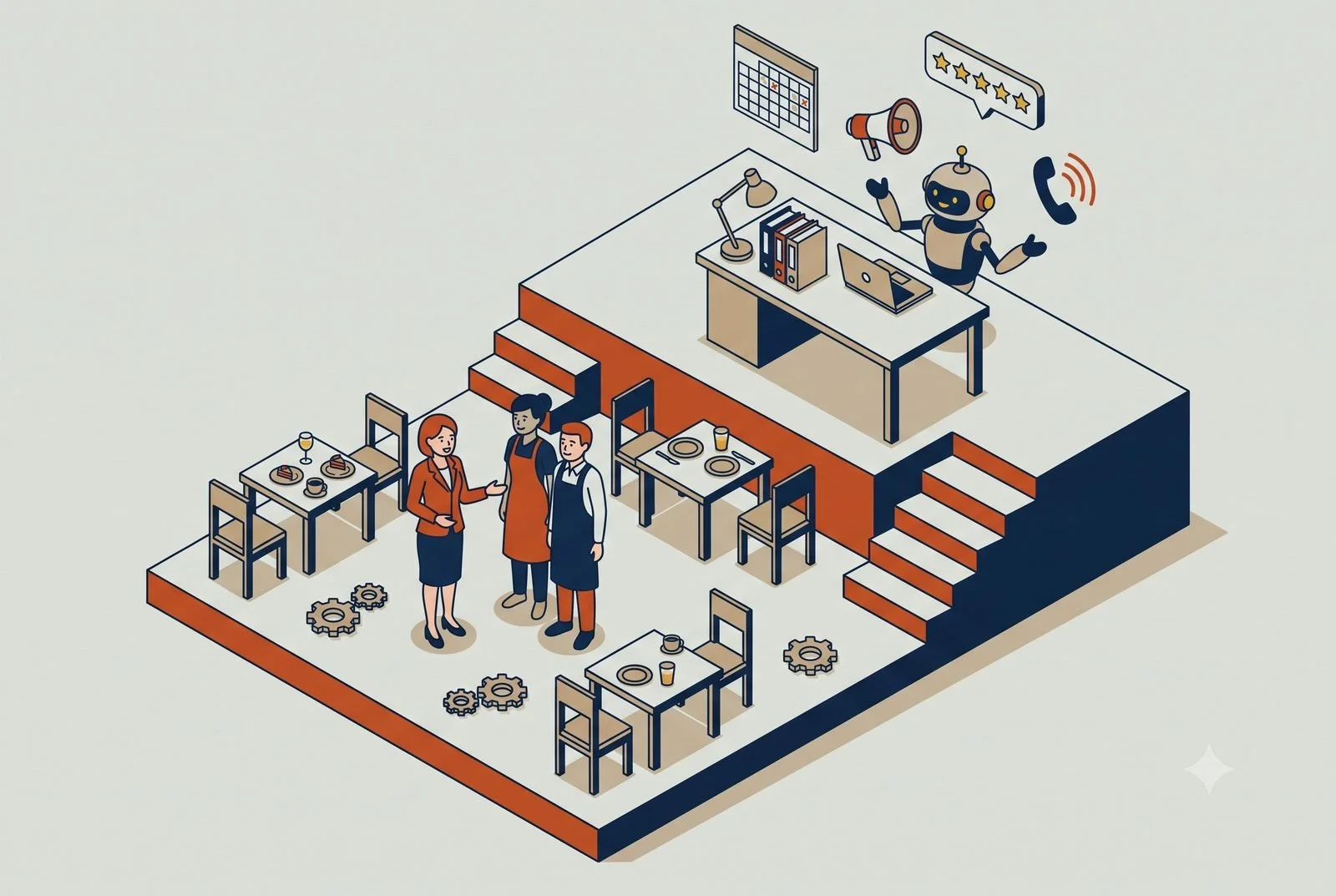
TL;DR: A restaurant AI Operating System is your customized command center that is composed of modular AI workstations that connect to your scheduling, accounting , POS, review, and social tools. It drafts schedules that match actual demand, keeps the marketing moving, answers reviews for your approval, analyzes your finances, and fields the questions that interrupt service, so managers run the floor instead of the office. All of this operates with you and your team’s approval with some processes becoming fully automated over time.
Scheduling: drafted from your real demand patterns.
Marketing: posts drafted without stealing floor time.
Finances: Displays the KPIs that matter and analyzes where the profitability gaps are.
Reviews: responses drafted in your voice, held for approval.
Questions: hours, parking, and reservations handled by a bot.
First, what we mean by a "workstation"
A workstation is a central AI, something like Claude, connected to the apps you already run on, with a few smart workflows built in that you kick off, review, and approve. As you come to trust them, those workflows can start running on their own.
Picture Claude wired into your POS (Toast, Square, or Clover), your scheduling app, and your review and social tools, able to pull from all of them and act across them. You stay in control: at first you approve everything, then you automate the parts that have earned it. That's the setup behind everything below. It's not one more app to log into. It's the layer that ties the apps you already have together. And because it remembers, it gets sharper over time, learning your sales patterns, your regulars, and which promos actually land, instead of starting from scratch each week.
1. Scheduling that matches your actual demand
Scheduling eats manager hours and quietly drains your labor budget when it's off. Too many people on a slow Tuesday, too few on a patio-weather Friday.
A scheduling workstation connected to your POS and a scheduling tool like 7shifts, When I Work, or HotSchedules can build a draft schedule against real demand patterns, your actual sales by day and hour, while respecting availability and keeping an eye on overtime. The manager reviews and adjusts instead of starting from a blank grid every week. You get schedules that fit the floor and a manager who got their evening back.
This is the one to start with. It hits both sides of the labor problem at once: the cost of bad staffing and the hours your managers lose building it.
2. Marketing that happens without stealing floor time
Marketing is the thing that falls off every busy week, because the person who'd do it is doing other things. So the Friday special goes unposted and the email and text list goes cold.
A marketing workstation is loaded with your website content, your brand guidelines, and your brand voice, so what it produces sounds like you, not generic AI filler. From a few notes, it drafts and schedules the week's posts and promos, the event announcement, the slow-night special, the follow-up text to your list, on brand and ready in minutes instead of an hour of fiddling. Someone still hits approve, but producing it stops competing with the dinner rush. Your marketing finally runs on a rhythm instead of whenever someone remembers.
3. Reviews, handled without the late-night phone grind
Reviews drive where new customers go, and keeping up with them usually means a manager thumb-typing replies at midnight. It slips, and a wall of unanswered reviews is its own bad look.
There are two halves to this, and AI helps with both. Getting more reviews in the first place is what a tool like NiceJob does well: it nudges happy guests to leave one while the meal's still fresh, cheaply and on autopilot. Managing the responses is where your workstation comes in, drafting a reply to each new review in your voice and to the specifics of what the guest said, ready for a quick human check before it posts. If you want reviews and social comments handled in one place, platforms like Birdeye or Podium pull them into a single inbox the workstation can work from. Either way, keeping up with your reputation stops depending on someone having the energy after close.
4. A bot for the questions that interrupt service
"Are you open Sunday?" "Do you take reservations?" "Is the patio dog-friendly?" Those calls and messages hit during the exact hours your team can least afford the interruption.
A simple chatbot on your site and social pages answers the routine questions instantly, so the host stand handles the guests in front of them instead of the phone. For the phone itself, an AI voice agent built for restaurants, like Slang.ai, can answer every call, handle the common questions, and even take reservations through your booking system, 24/7.
Both kinds of bot are trained on your restaurant, your hours, your menu, your policies, so the answers are actually right, and you can update them in minutes when something changes, a new summer menu, holiday hours, a private-event policy. The calls that actually need a person still get through. The rest stop pulling someone off the floor mid-rush.
Where it really clicks: one workstation across all of them
Each of those is useful on its own. The payoff compounds when the same workstation sees across all of them and starts connecting the dots no single app can.
Because it's pulling from your POS, your schedule, your reviews, and your marketing at once, it can do things none of those tools do alone. A few examples:
Spot a slow night coming (sales trends, weather, a quiet reservation book) and draft a same-day promo, ready for you to approve and push to social and text.
Notice reviews mentioning slow service on Friday nights, cross-check it against Friday staffing levels, and flag the mismatch before it becomes a pattern.
Pull a Monday-morning read across all of it: covers and sales by daypart, labor as a percent of sales, new reviews and their drift, which promo actually drove traffic. The picture you usually piece together by hand, if you get to it at all.
That's the difference between a pile of smart apps and a setup that actually runs together. The workstation is what turns four separate tools into one view of how the restaurant is doing, and one place to act on it. Stack a few of these workstations across the business and you've got what we call an AI operating system: one layer that runs across the whole restaurant, built one workstation at a time.
The real win: your best people, back where they matter
All of this points at the same thing. In a restaurant, your managers and shift leads are the difference between a good night and a bad one, and right now too much of their time goes to work a system could handle.
Hand the scheduling, the marketing, the reviews, and the routine questions to AI, and you're not cutting staff. You're putting your most experienced people back on the floor, where they keep service tight and keep good employees from walking. That's how AI actually helps the labor problem: not by replacing the hard-to-hire, but by getting more out of the people you already fought to keep.
Where to start
Start with scheduling. Connect your POS and your scheduling tool, and let AI draft next week against your real sales patterns. It's the fastest hour you'll give back to a manager, and it tightens your labor cost the same week.
The how is simple to describe and a little more work to do well. You pick an AI engine to build on, Claude or ChatGPT, connect it to the tools you already use, and write the rules and workflows that turn it into a workstation. Some owners and GMs will happily build that themselves. Plenty won't, and that's a fair question to ask: are you in the restaurant business, or the AI and IT business? Standing this up so it works, and keeps working as things change, is the part we do, so you can get back to the floor.
From there, the marketing, reviews, and call-handling pieces each take another recurring chore off the floor, one at a time, until the workstation is quietly running the back-office work your managers used to do after close.
Whether that's a single workstation, a handful of them, or a full AI operating system across your restaurant, we're here to help with as much or as little as you need.
Questions we hear from restaurant owners
Will AI answer my Google reviews automatically?
Not unless you tell it to, and we don’t recommend it. Set it to draft responses in your voice and hold them for approval. You get the late-night review answered without the late-night phone session.
Do I need new software for any of this?
No. The workstation connects to the scheduling, review, and social tools you already pay for. Stop Buying New Software covers that approach in detail.
Where should a restaurant start?
Let us do an audit of the most pressing areas that are your biggest headaches and we will produce a detailed estimate of time savings or revenue gains that would result from implementing the automations. The setup behind it is in The Six Layers of an AI Setup That Actually Works.This is part of the Practical AI Toolkit series. Hub: Cornerstone 2: The AI Workstation Playbook. Read next: AI for Accounting Firms and Bookkeepers.
AI for Construction Firms: Stop Losing Margin Between the Bid and the Closeout
Margin rarely disappears in one chunk. It leaks between the bid, the field, and the books. Here’s how AI catches those leaks while you can still act.
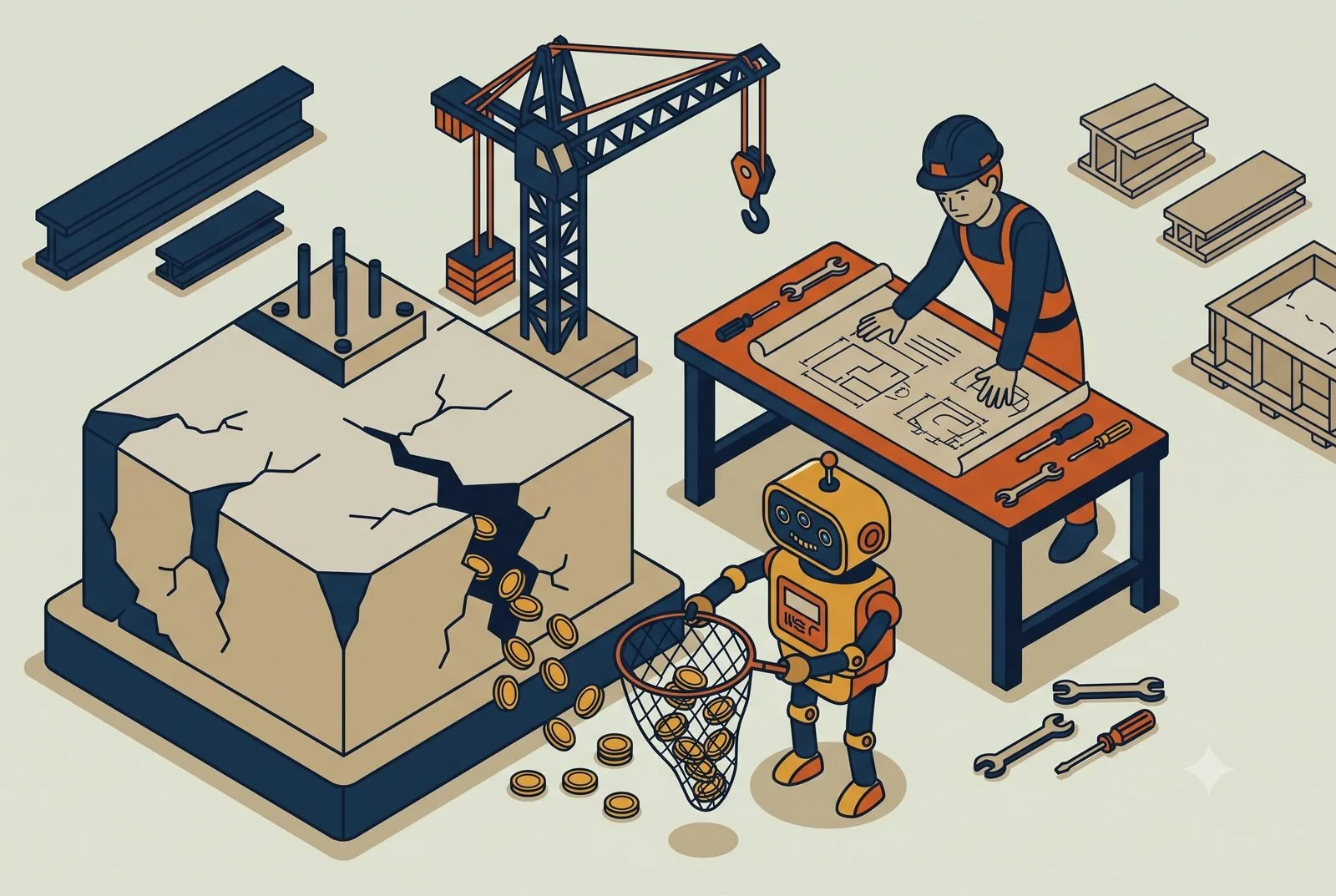
You bid the job at 18 percent. It closed out at 9. And you didn't really know it had slipped until the numbers came in, weeks after there was anything you could do about it.
That's the story on a lot of construction jobs, and the margin almost never disappears in one big chunk. It leaks. A missed addendum in the bid. An overrun nobody flagged until it was baked in. A change order you did the work on but never billed. Each one lives in a different place, the estimate, the field, the office, and by the time anyone spots them, the profit's already gone.
AI helps you see and stop those leaks while you can still do something about them. Here's where to start.
TL;DR: A construction workstation is one AI across your estimating, job costing, and document tools. It checks bids against your own actuals, flags cost overruns while the job is still open, catches unbilled change orders, and makes the document pile searchable.
Bid accuracy: estimates checked against past actuals.
Job costing: overruns visible in real time, not at closeout.
Change orders: caught and billed instead of eaten.
Documents: searchable in plain English.
What we mean by a "workstation"
A workstation is a single AI, something like Claude or ChatGPT, connected to the systems you already run on and taught about how your company builds. It pulls from them and does real work across them, with your team approving as you go and automating only what's earned trust.
For a contractor, that's the AI connected to your estimating tools, your project management system (Procore or Buildertrend, depending on whether you're commercial or residential), and your accounting, QuickBooks, Sage, whatever runs your job costing. And because it remembers, it gets sharper over time, learning your cost codes, your crews, and how your jobs actually run, instead of starting generic on every project.
1. Bid accuracy, because the margin is won or lost here
Most margin problems start at the bid. Price it wrong, miss a revision, forget a scope, and you've locked in the loss before you break ground.
AI takeoff and estimating tools have gotten genuinely good at this. Platforms like Togal.ai, Kreo, and Beam AI read the drawings and do quantity takeoffs in minutes instead of hours, and the better ones flag exactly what changed between drawing revisions, which is how the missed addendum, one of the classic margin killers, gets caught before it costs you. A workstation works alongside these, pulling the estimate into the rest of your process so the number you bid is the number you track against.
The estimator still owns the bid. The AI just makes sure they're working from complete, current information instead of racing a deadline with a highlighter.
2. Job costing you can see in real time
The second leak is not knowing a job's underwater until it's too late to steer.
A workstation connected to your accounting and project systems can give you live job cost, labor, materials, and subs against budget as the job runs, not sixty days after. When a job starts drifting, your PM sees it in week three while there's still room to adjust, instead of discovering it at closeout. That single shift, from rear-view to real-time, is where most contractors find their margin hiding.
3. Change orders that actually get billed
This is the leak nobody likes to admit. Your crew does the extra work because the client asked and the schedule's tight, and the change order never gets written up, so you eat it.
A workstation can catch that. Tied into your field updates and project docs, it can flag when work is happening outside the original scope, draft the change order from what actually changed, and route it for approval before the work's done and forgotten. Capturing even a fraction of the change orders you're currently eating goes straight to the bottom line.
4. Document chaos, made searchable
Plans, RFIs, submittals, contracts, spec sections, inspection reports. The answer to "what did we agree to on the slab detail" is in there somewhere, and finding it falls to whoever has time, usually a PM who doesn't.
A workstation connected to your project documents can answer those questions in plain language, pull the right spec or the relevant RFI, and draft routine responses. Some systems are building this in directly, Procore's own AI can search and summarize project data, and a workstation can tie that together with the rest of your stack rather than leaving it stranded in one tool.
Your software's built-in AI helps isn’t good enough.
Both Procore and Buildertrend have added real AI, and it's worth using. Buildertrend can generate a client update in a couple of minutes instead of half an hour and capture bills automatically. Procore's AI can search and summarize your project documents and draft RFIs. If you're on one of these, switch those features on.
But notice where they stop: at the edge of their own tool. Procore's AI only knows what is in Procore. Buildertrend's works on Buildertrend's data. Neither one reaches into your Sage or QuickBooks accounting system and neither ties your estimate to your actuals to the change orders happening in the field. It isn’t seeing the texts and emails from your clients. That gap, between the estimate, the books, your emails and texts, and the job site, is exactly where the margin leaks. It's also the main reason most construction AI efforts stall out: the data's scattered across tools that don't share one picture.
A workstation is what spans them. It doesn't replace your software's built-in AI, it sits across your estimating, your project tool, and your accounting at the same time, so the cross-system questions finally have somewhere to be answered.
Where it really clicks: one workstation across the job
Each piece helps alone. It compounds when the same workstation sees your estimate, your field, and your books together.
Because it does, it can connect the leaks no single tool catches. It can hold the bid next to live job cost and flag the job drifting from its estimate. It can tie a change in the field to the change order and the invoice, so the work you did is the work you bill. Monday morning, it hands you a read across every active job: bid margin versus actual, what's trending over, which change orders are outstanding, instead of a closeout surprise per project.
That's the difference between a pile of construction software and a setup that runs as one thing, with your people reviewing and approving rather than chasing it all by hand. Stack a few of these workstations across the business and you've got what we call an AI operating system: one layer that runs across the whole company, built one workstation at a time.
A quick word on the data and security
You're handling contracts, bids, and financials you don't want loose. That belongs on a business AI account your company owns and controls, not someone's personal chat gpt login. It's a quick foundation to set, and worth setting before you connect your systems. (We cover the why in our piece on team AI environments.)
Where to start
Start where your margin is leaking worst. For most firms that's either the bid or job costing. Connect a workstation to your estimating or your accounting, point it at one active job, and see how fast it surfaces the drift you'd normally catch at closeout.
The how is simple to describe and a little more work to do well. You pick an AI engine to build on, Claude or ChatGPT, connect it to your estimating, project, and accounting tools, and write the rules and workflows that fit how you build. Some firms have someone who can do that. Plenty don't, and it's a fair question to ask: are you in the construction business, or the AI and IT business? Standing this up so it works, and keeps working job after job, is the part we do, so your people can stay on the build.
Whether that's a single workstation, a handful of them, or a full AI operating system across your company, we're here to help with as much or as little as you need.
Questions we hear from contractors
Does this replace my estimator?
No. It hands your estimator the firm’s own history, what similar jobs actually cost, where past bids missed, so the judgment call starts from data instead of memory. The judgment stays human.
We already have AI inside Procore and Buildertrend. Isn’t that enough?
Built-in AI stops at the edge of its own tool. The margin leaks live between tools: the estimate in one system, actuals in another, the change order in an email thread. Why built-in AI still feels underwhelming covers the difference.
Where should a construction firm start?
Unbilled change orders. It’s the fastest money: work you already did, sitting in email threads, not on invoices. The setup behind a full workstation is in The Six Layers of an AI Setup That Actually Works.This is part of the Practical AI Toolkit series. Hub: Cornerstone 2: The AI Workstation Playbook. Read next: AI for Vets, Dentists, and Small Healthcare Practices.
AI for Marketing and Creative Agencies: Catch the Margin Leak Early
Most agencies find out a client was unprofitable at billing, weeks too late. AI can flag margin leaks in real time and take the busywork off your account leads.
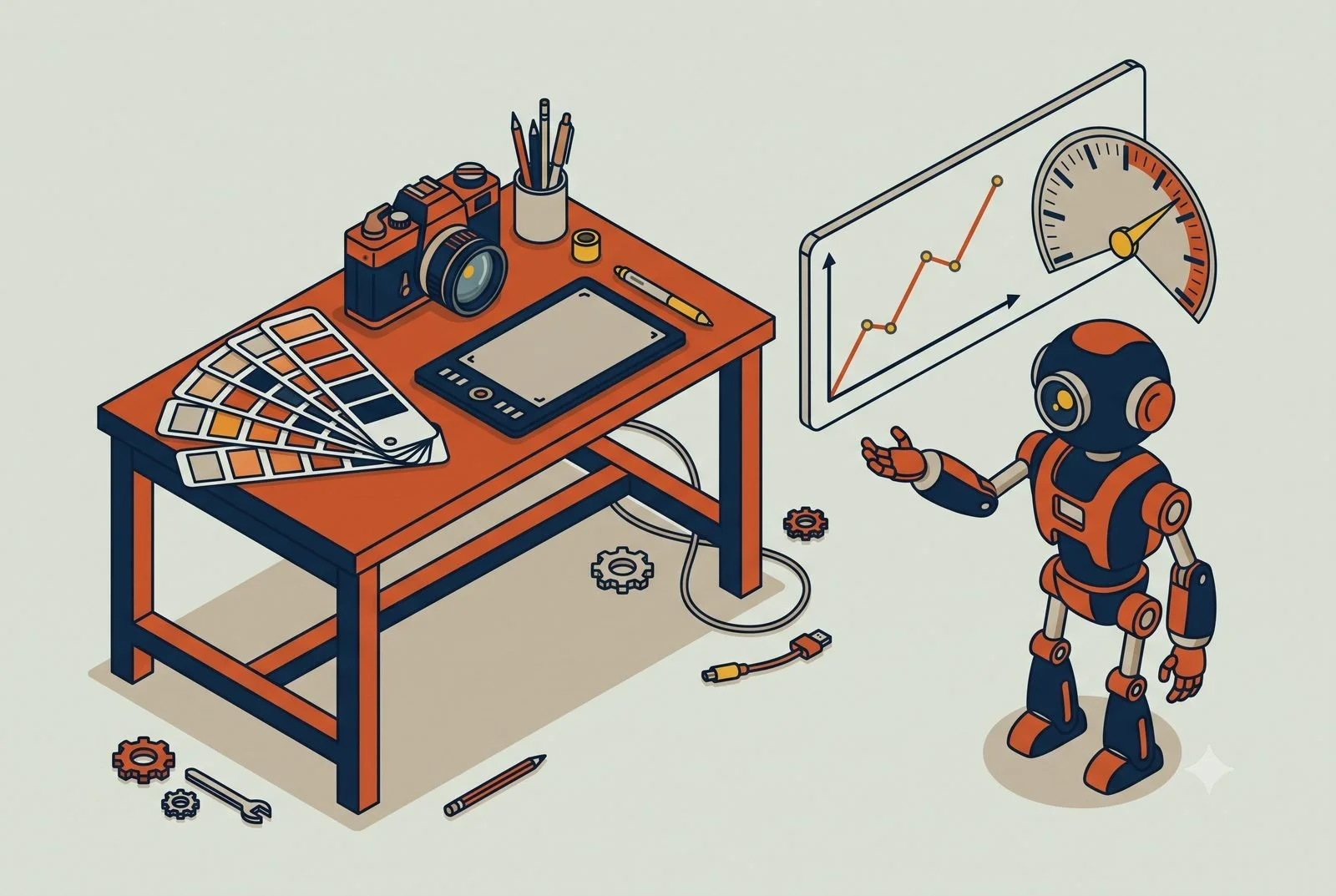
Most agencies find out a client was unprofitable the same way every time: at billing, when someone finally reconciles the hours against the fee and realizes the project went sideways weeks ago. By then the month is closed and the damage is done.
The problem isn't that your team is careless. It's that the numbers live in one system, the work lives in another, and nobody has time to stitch them together until the invoice goes out. Your account leads and project managers are flying on instinct because the real picture shows up 60 days late.
AI closes that gap. Here are the three places it pays off first for design and marketing agencies, starting with the one that protects your margin.
TL;DR: An agency workstation is one AI across your books, time tracking, and project tools. It flags margin-bleeding clients while you can still act, catches scope creep at brief intake, and drafts client status updates from live project data, so account leads spend their hours on strategy instead of reporting.
Finance: margin leaks flagged in real time, not 60 days late.
Brief intake: scope checked before the work starts.
Client updates: status reports drafted, humans edit and send.
What we mean by a "workstation"
A workstation is a single AI, something like Claude or ChatGPT, connected to the tools you already run on and taught about your agency. It pulls from them and works across them, with your team approving as you go and automating only what's earned trust.
For an agency, that's the AI wired into your accounting software, your project tool, and your files. And because it remembers, it sharpens over time, learning your clients, your margins, and how your team works, instead of starting generic each day.
1. A finance workstation that flags margin leaks in real time
The highest-value setup for most agencies is a finance and operations workstation that watches profitability as work happens, not at month-end.
Connect it to where the money and the time live, your accounting software and your project tool, and it can answer the question your PMs can't easily get to today: which clients and projects are trending underwater right now. Instead of discovering a 40-hour overrun when you invoice, your account leads see it in week two, while there's still time to have the scope conversation or adjust the plan.
This is the one to build first. Margin visibility is the difference between catching a bad project while you can still fix it and writing it off after the fact.
2. Brief intake, so scope creep starts smaller
Scope creep usually starts with a fuzzy brief. The kickoff notes are scattered across email, a call recording, and a Slack thread, and three weeks in, nobody can point to what was actually agreed.
An intake workstation turns that mess into a clean, structured brief: pulling the goals, deliverables, and boundaries out of the raw notes into one document the team and the client both sign off on. It doesn't kill scope creep, but it gives you a clear line to point back to when the "quick extra thing" requests start, which is most of the battle.
Your project managers stop reconstructing what the client wanted and start the project with an actual definition of done.
3. Client updates, so your team stops writing status reports
Account managers burn hours every week on status updates, recaps, and "just checking in" messages. Most of that is assembling information that already exists in your project tool.
A workstation connected to that tool can draft the weekly client update from the actual project status, ready for a human to review and send. Same for meeting recaps and next-step summaries. It's not about removing the human relationship. It's about freeing the people who own those relationships from the busywork of documenting them, so they spend their time on the client instead of the changelog.
Where it really clicks: one workstation across your stack
Step back and all three use cases solve the same underlying problem. The information your team needs to run a profitable project exists, but it's scattered, and assembling it by hand is too slow to act on.
It compounds when the same workstation sees your accounting, your project tool, and your files at once, because then it can connect dots no single app does. It can flag the project where logged hours are outrunning the fee while there's still time to act, draft the weekly client update from real project status, and tie a margin dip back to the scope that crept, all in one place. Monday morning it hands you a read across the book of business: which clients are trending profitable, which are slipping, and where the week's time actually went.
That's the difference between the fanciest creative tools and an agency that stopped finding out about problems after they'd already cost money. The ones that win here connected their tools and let AI do the assembling, so their account leads and PMs get the real picture in time to act on it. Stack a few of these workstations across the agency and you've got what we call an AI operating system: one layer that runs across the whole business, built one workstation at a time.
A quick word on the data
You're working with client material, brand assets, sometimes their customer data. That belongs on a business AI account the agency owns and controls, not someone's personal login, so your clients' information stays protected and yours does too. Get that foundation set before you connect client systems. (We cover the why in our piece on team AI environments.)
Where to start
Build the finance workstation. Connect your accounting software and your project tool, and ask it the one question you can't easily answer today: which active projects are trending over budget right now. The first time it catches a leak in week two instead of at billing, it's paid for itself.
From there, brief intake and client updates are natural next steps, each one taking another slice of guesswork and busywork off the people running your accounts.
The how is simple to describe and a little more work to do well. You pick an AI engine to build on, Claude or ChatGPT, connect it to your accounting software and project tool, and write the rules and workflows that make it yours. Some agencies have someone who can build that. Plenty don't, and it's a fair question to ask: are you in the creative business, or the AI and IT business? Standing this up so it works, and keeps working as clients and projects change, is the part we do, so your team can stay on the work clients actually pay you for.
Whether that's a single workstation, a handful of them, or a full AI operating system across your agency, we're here to help with as much or as little as you need.
Questions we hear from agencies
How does the AI know which clients are unprofitable?
It reads revenue from your books and hours from your time tracking, then does the division nobody has time to do weekly. That cross-system view is the whole trick, and harnessing the apps you already pay for is how it works.
Will clients notice AI-written status updates?
The AI drafts from live project data; your team edits and sends. What clients notice is updates that arrive on time and match reality, because nobody was dreading writing them.
Where should an agency start?
The monthly margin review. Connect the books and time tracking, ask which clients are quietly underwater, and act on the answer. The full setup is covered in The Six Layers of an AI Setup That Actually Works.This is part of the Practical AI Toolkit series. Hub: Cornerstone 2: The AI Workstation Playbook. Read next: AI for Bars and Restaurants.
AI for Accounting Firms: The Workflow That Pays for Itself
Your capacity isn’t capped by how fast your people think. It’s capped by grunt work. Where AI pays off first for accounting and bookkeeping firms.
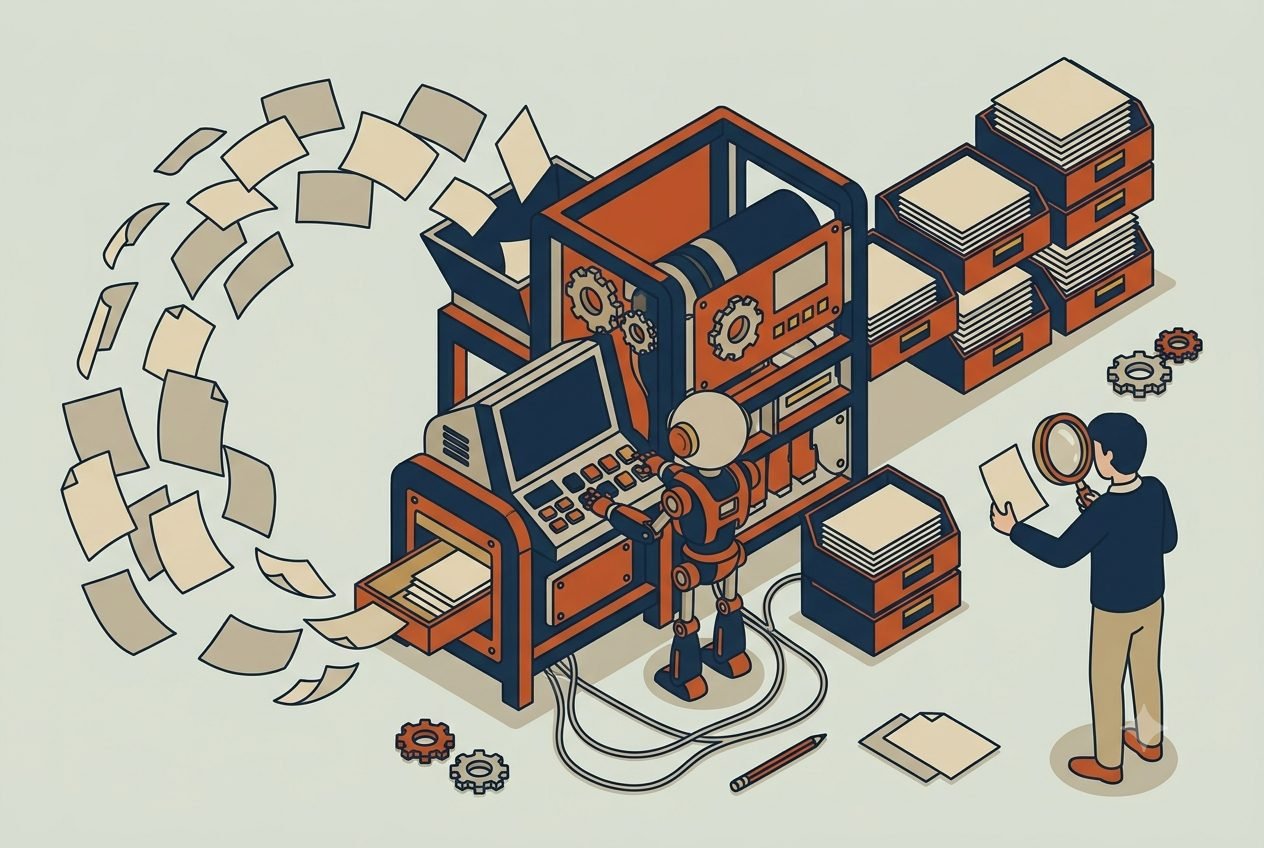
It's March, and your preparers are buried. Not in the actual accounting, the judgment work they're good at, but in keying numbers off bank statements, sorting a client's shoebox of receipts, and emailing the same client for the third time to get the one document that's holding up the return.
That's the real ceiling on most accounting and bookkeeping firms. Capacity isn't capped by how fast your people can think. It's capped by how much grunt work sits in front of the thinking. So tax season turns into overtime, and growing means hiring before you can really afford to.
AI lifts that ceiling by taking the grunt work off your team, not the judgment. Here's where it pays off first, starting with the one that pays for itself fastest.
TL;DR: An accounting workstation is one AI across your books, tax software, and document storage. It reads and categorizes client documents as they arrive, chases the missing paperwork automatically, and turns busy-season capacity into a setup problem instead of a hiring one. Your professionals keep the judgment and the sign-off.
Document intake: read, categorized, and staged for review.
The document chase: reminders and follow-ups handled automatically.
Capacity: more clients on the team you already have.
First, what we mean by a "workstation"
A workstation is a central AI, something like Claude, connected to the systems you already run on, with a few workflows built in that you kick off, review, and approve. As you come to trust them, those workflows start running on their own.
For a firm, that's Claude wired into your books in QuickBooks, your tax software like Drake or Lacerte, and your document storage like SmartVault, able to pull from all of them and act across them. A preparer stays in control and signs off on the work. The workstation just clears the path to it. And because it remembers, it gets sharper over time, learning your clients, your chart of accounts, and your firm's conventions, so each month its first pass needs less correction than the last.
1. Document intake and categorization, so your people stop keying data
The highest-value setup for most firms is a workstation that handles document intake: reading the bank statements, receipts, and forms clients send in, pulling the numbers, and categorizing them into the books, ready for a human to review.
This is where the hours go. A bookkeeper who spends a day a week typing transactions and matching receipts gets most of that day back, because the workstation does the first pass and they verify it instead of building it from scratch. The work that needs a trained eye still gets one. The rote entry that was eating their week mostly doesn't.
A point that matters in this field: the preparer always reviews and signs off. AI does the assembling. Your professional still owns the judgment and the accuracy, which is exactly the split you want.
2. The document chase, handled before it starts
Half the delay in any engagement isn't the work, it's waiting on the client. The missing 1099, the statement they forgot, the signature that never came. Chasing it falls on your team and quietly burns days.
A workstation tied to your client portal can track exactly what's outstanding for each client, send the reminders automatically, and field the questions clients ask back. A client-facing assistant, trained on your firm's checklist and easy to update as rules change, can answer "what do you still need from me" any time of day, so a client at 9pm gets an answer instead of waiting for someone to reply Monday. Your team stops being the nag, and the documents show up faster.
3. Capacity without hiring, which is the whole point
Add up the first two and you get the payoff that actually moves the business: you handle more clients, and a heavier tax season, with the team you already have.
This is why the workflow pays for itself. Every hour of data entry and document-chasing you take off your preparers is an hour they can spend on billable, higher-value work, or an hour that lets you take on the next client without adding a seat. For a firm that dreads the busy-season hiring scramble, that's the difference between turning work away and absorbing it.
Where it really clicks: one workstation across your stack
Each piece helps on its own. The payoff compounds when the same workstation sees across your books, your tax software, your document storage, and your portal at once.
Because it's pulling from all of them, it can do things no single tool does. A few examples:
Tell you, per client, exactly which documents are in and which are still missing, so nobody opens an engagement only to stall on page two.
Flag the transaction that doesn't fit the pattern, the duplicate, the miscategorization, the number that's off from last year, before it reaches review.
Give you a real-time read on where every return or close stands heading into the busy weeks, instead of a spreadsheet someone updates by hand.
That's the difference between a few smart tools and a setup that runs together, one view of the whole book of work and one place to act on it. Stack a few of these workstations across the firm and you've got what we call an AI operating system: one layer that runs across the whole business, built one workstation at a time.
A word on the data, because it's financial
You're handling tax IDs, financial records, and personal information your clients trust you with. This has to run on a business AI account your firm owns and controls, with the data protections in writing, not someone's personal login. For the sensitive end of the work, that means stepping up to a plan with the right compliance terms. Get that foundation set before you connect a single client file. (We cover the why in our piece on team AI environments.)
Where to start
Start with document intake. Point a workstation at the statements and receipts clients already send, let it do the first-pass categorization, and have a bookkeeper verify rather than build. It's the fastest hour you'll give back to your team, and it shows up the same week.
The how is simple to describe and a little more work to do well. You pick an AI engine to build on, Claude or ChatGPT, connect it to QuickBooks, your tax software, and your document storage, and write the rules and workflows that turn it into a workstation. Some firms have someone who can build that. Plenty don't, and it's a fair question to ask: are you in the accounting business, or the AI and IT business? Setting this up so it works, stays accurate, and holds up through tax season is the part we do, so your people can stay on the work only they can do.
Whether that's a single workstation, a handful of them, or a full AI operating system across your firm, we're here to help with as much or as little as you need.
Questions we hear from accounting firms
Does the AI do the accounting?
No. It does the assembling: reading documents, pulling numbers, drafting the first pass. Your professional reviews, owns the judgment, and signs off. That split is the whole design.
Is client financial data safe in an AI workstation?
It belongs on a business AI account your firm owns and controls, not anyone’s personal login, with connectors set read-only first. Our piece on team AI environments covers what that account structure looks like.
Where should a firm start?
Document intake. It’s where the hours go, and it’s the piece that pays for itself in the first busy week. The setup behind a full workstation is in The Six Layers of an AI Setup That Actually Works.This is part of the Practical AI Toolkit series. Hub: Cornerstone 2: The AI Workstation Playbook. Read next: AI for Construction Firms.
AI for Vets, Dentists, and Small Healthcare Practices: Where It Helps, and Where It Shouldn't
AI can take intake, confirmations, insurance checks, and recalls off your front desk. The medicine stays with your licensed people, and HIPAA comes first.

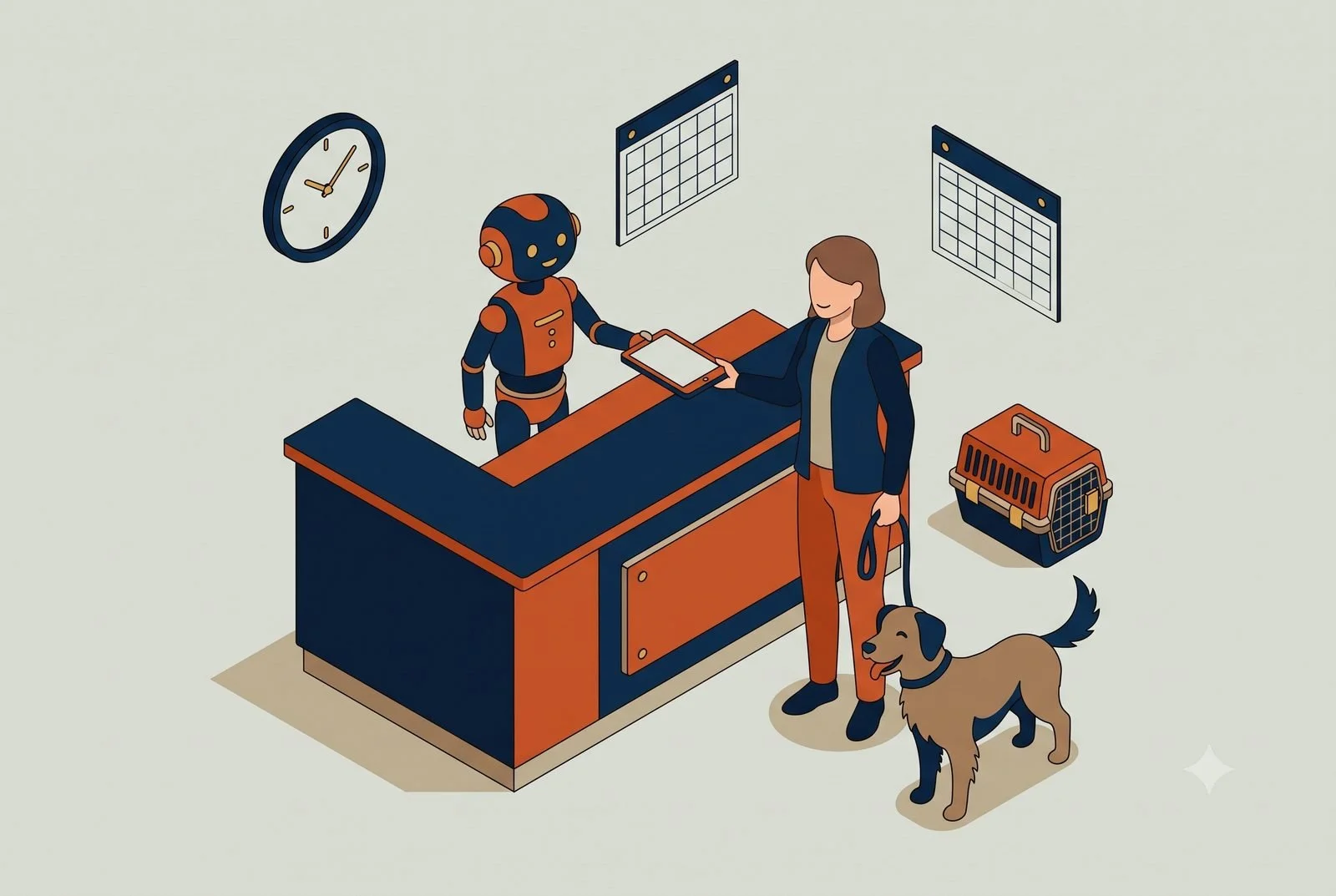
The phone's ringing, the waiting room's filling, someone needs their insurance verified before they'll be seen, and two of this morning's appointments just no-showed and blew a hole in the schedule. Meanwhile the recall list, the patients and pets due for a cleaning, a vaccine, an annual, sits untouched because nobody at the front desk has had a free minute in days.
That's the squeeze in most vet clinics, dental offices, and small medical practices. Your front desk is the answer key for everything administrative, and there's never enough of them. AI can take a real load off that desk. But healthcare is also where you have to be careful, so let's be clear up front about two lines we don't cross.
First, AI handles the front office, not the medicine. Everything below is about scheduling, paperwork, reminders, and verification. Clinical judgment, diagnosis, triage, treatment, stays with your licensed people, full stop. Second, none of this works unless you handle the data right, so we start there.
TL;DR: A practice workstation is one AI connected to your practice management, forms, and communication tools, with the data rules handled before anything else. It digitizes intake, confirms appointments so no-shows drop, verifies insurance before the visit, and works the recall list, so the front desk stops drowning.
Intake: forms filled before the visit, not on a clipboard.
Confirmations: reminders that actually cut no-shows.
Insurance: verified before the appointment instead of during it.
Recall: the follow-up list worked automatically.
First, the part you can't skip: the data
You're handling protected health information, and HIPAA isn't optional. That shapes everything about how you'd set this up.
The non-negotiables: this runs on a business or enterprise AI account with a signed Business Associate Agreement (a BAA), encryption, audit logging, and a minimum-necessary approach where the AI only touches the data it actually needs. A personal ChatGPT or Claude login does not meet that bar, and patient data should never go near one. The major platforms offer plans built for this, with the BAA and the controls regulated work requires, but you have to be on the right one and set it up correctly.
This is exactly the kind of thing to get right before you connect a single record, and it's where a careful setup earns its keep. Done properly, you get the time savings without the exposure. Done casually, you've created a compliance problem. There's no middle ground in healthcare, which is why we lead with it.
What a workstation is, in plain terms
A workstation is a single AI, something like Claude or ChatGPT on the right plan, connected to the systems you already run on and taught about your practice. It pulls from them and does real work across them, with your team approving as you go and automating only what's earned trust.
For a practice, that's the AI connected to your practice management system, Cornerstone or ezyVet for vets, Dentrix or Eaglesoft for dental, athenahealth or eClinicalWorks on the medical side, along with your scheduling and patient-messaging tools. And because it remembers, it gets sharper over time: it learns your providers' schedules, your common visit types, and your patients' patterns, so its work fits your practice instead of starting generic every day.
1. Intake, without the clipboard pile
The highest-value place to start for most practices is intake. Instead of a clipboard and a staffer re-keying it all later, AI can run intake as a simple conversation before the visit, collecting demographics, history, and insurance details, and dropping them into your practice management system for a human to confirm.
It gives your front desk most of a day back over a week, because they're verifying clean information instead of chasing and typing it. The patient fills it out from their phone on their own time, and you start the visit with the paperwork already done.
If you already run a tool like Phreesia or NexHealth for digital intake and self-scheduling, a workstation works alongside it and ties what it captures into the rest of your front office. If you don't, it can run the intake conversation itself and drop the results into your system. Either way, the goal is the same: clean information in, no clipboard pile, no re-keying.
2. Appointment confirmations, so no-shows stop bleeding you
No-shows are a direct hit to revenue, an empty chair or exam room you can't get back. Most of them aren't people blowing you off. They forgot.
A workstation can run confirmations and reminders automatically, by text, where they actually get read, with an easy way to confirm or reschedule. Practices that add consistent digital reminders often see no-shows drop by a third or more. When someone does cancel, it can work the waitlist and offer the open slot to the next patient, so a gap gets filled instead of lost.
This is where AI scheduling has moved fastest, and it's worth knowing the players. On the medical and dental side, platforms like Luma Health and NexHealth handle self-scheduling, smart waitlists, and even after-hours voice AI that books appointments by phone. For vets, Vetstoria and PetDesk cover online booking and reminders. A workstation can sit on top of whichever one you use, tying scheduling into the rest of your front office, or handle the confirmations and waitlist itself if you're still running it by hand.
3. Insurance verification, before the visit instead of at the desk
Verifying coverage by calling payers is one of the bigger time sinks at the front desk, and finding out about a coverage problem while the patient is standing there is worse.
AI can run eligibility checks electronically ahead of the visit, returning coverage, copays, and limits, so your team walks in knowing where each patient stands instead of dialing insurers one at a time. Intake platforms like Phreesia and NexHealth capture the insurance details up front; the workstation can take it from there and run the check. Fewer surprises at checkout, fewer billing headaches later, and a front desk that isn't on hold half the morning.
4. Follow-up and recall, so the list actually gets worked
The recall list is where practices quietly leave money and good care on the table. The pet due for vaccines, the patient overdue for a cleaning or an annual, the post-visit check-in that never goes out.
A workstation can keep that list working on its own: sending the right recall reminder at the right time, following up after a visit with the care instructions your provider approved, and flagging who's overdue. Vet platforms like PetDesk already automate vaccine and visit recalls, and Weave and Luma Health do the same on the dental and medical side. A workstation can drive those tools or stand in where you have none, and it ties recall into the same place as your scheduling and intake instead of living in its own silo. It's better for the practice and better for the patient, and it stops depending on someone at the desk finding a spare hour that never comes.
Where it really clicks: one workstation across the front office
Each piece helps alone. It compounds when the same workstation sees your schedule, your patient communications, and your practice management system together.
Because it does, it can connect dots no single tool does. It can spot tomorrow's open slot, find the overdue recall patient who'd fit it, and send the offer, filling the gap before it happens. It can flag the patients who haven't confirmed for tomorrow and nudge them tonight. Monday morning, it hands your office manager a clean read: confirmations outstanding, no-show risk, the recall list, and yesterday's gaps, instead of four screens nobody has time to check.
That's the difference between a stack of tools and a front office that runs as one thing, with your people reviewing and approving rather than doing it all by hand. Stack a few of these workstations across the practice and you've got what we call an AI operating system: one layer that runs across the whole practice, built one workstation at a time.
Where to start
Start with reminders and confirmations. They're the fastest win, they hit no-shows directly, and they keep your team out of the clinical lane entirely, which makes them the easiest place to get comfortable. Get the business account and BAA in place, connect your scheduling and messaging, and let it run confirmations for a couple of weeks.
The how is simple to describe and a little more involved to do right, especially with the compliance piece. You pick an AI engine on the right plan, connect it to your practice management and messaging tools, set it up to the minimum-necessary standard, and write the workflows. Some practices have someone who can manage that. Most don't, and it's a fair question to ask: are you in the business of caring for patients, or the AI and IT business? Standing this up so it works and stays compliant is the part we do, so your people can stay with the patients in front of them.
Whether that's a single workstation, a handful of them, or a full AI operating system across your practice, we're here to help with as much or as little as you need.
Questions we hear from practices
What about HIPAA and patient data?
The data rules come first, which is why this post opens with them. Business-grade AI accounts, proper agreements, and access controls get set up before any patient information touches the system. If a vendor can’t have that conversation, that’s your answer.
Will my patients end up talking to a bot?
Only for routine logistics: confirming a time, rescheduling, answering hours-and-parking questions. Anything clinical or sensitive routes to your staff. Patients notice shorter hold times, not robots.
Where should a practice start?
Appointment confirmations. No-shows are the most measurable leak in the schedule, and confirmations are the lowest-risk place to prove the setup works. The full picture is in The Six Layers of an AI Setup That Actually Works, and the account structure is covered in our piece on team AI environments.This is part of the Practical AI Toolkit series. Hub: Cornerstone 2: The AI Workstation Playbook. For the full toolkit and when to use what, read The Practical AI Toolkit.
AI for Independent Retail: Win the Shopper Who Finds You on Instagram First
Your new customers meet you on a screen before they pass the window. One AI assistant that knows your inventory, customers, and socials changes that math.
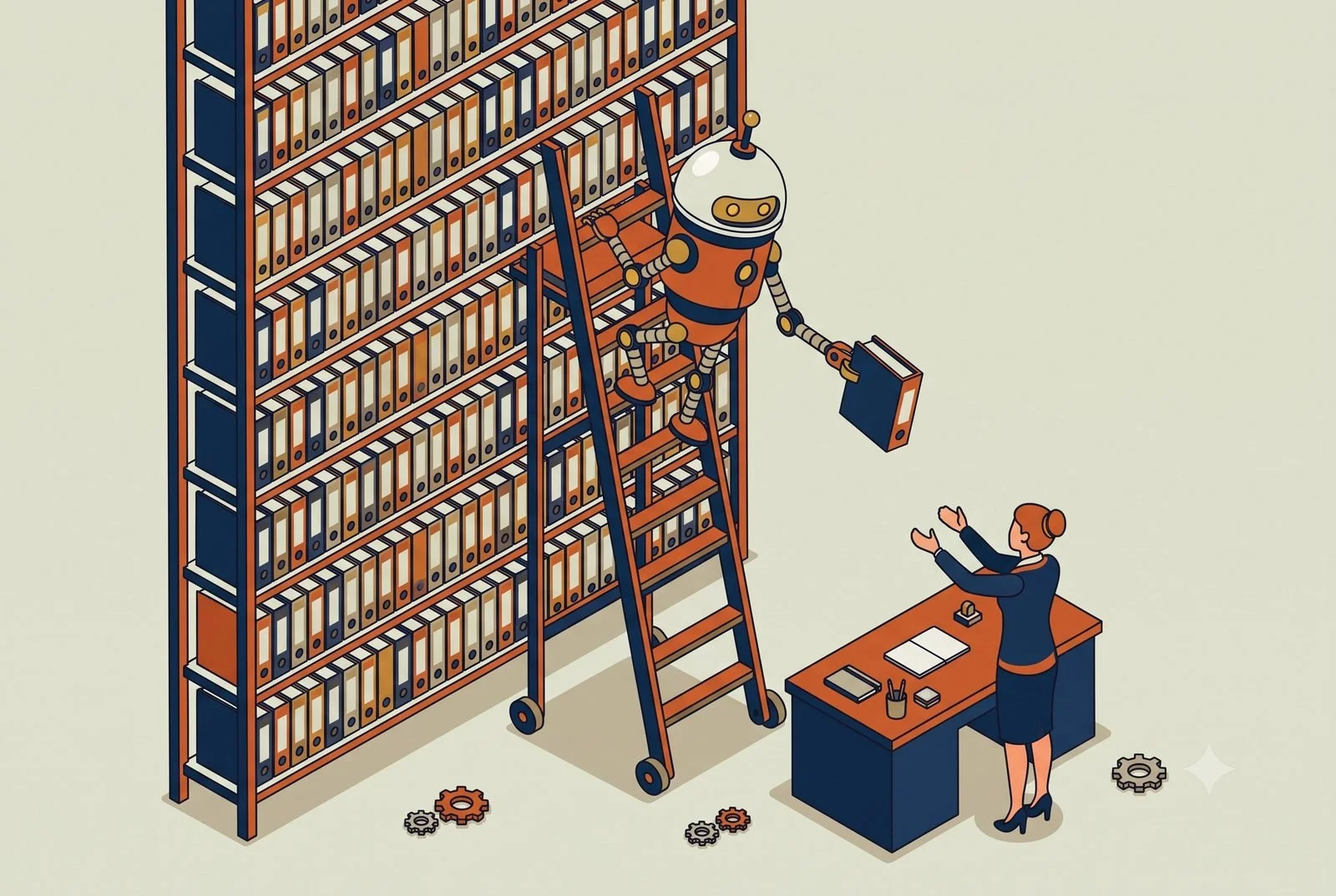
Most of your new customers meet your store on a screen before they ever pass the window. They find you on Instagram, they compare you to Amazon and every big brand in the same thirty seconds, and they decide whether you're worth the trip. Foot traffic is flat across most of retail, so the shop that wins isn't the one with the best corner. It's the one that shows up well online, knows what's actually selling, and makes a regular feel remembered.
That's three full-time jobs, and in most independent shops, clothing boutiques, gift and variety stores, the candle-and-art-and-apparel spots, it's all one person. You're the buyer, the merchandiser, the marketer, and the one at the register when it gets busy. Something always gets dropped, and lately it's usually the online side, which is exactly the part deciding whether new customers find you.
AI helps you cover all three without cloning yourself. Here's where it pays off first.
TL;DR: A retail workstation is one AI that knows your whole shop: your POS, your socials, and your customer list. It runs the content engine that gets you found on Instagram, tells you what to reorder and what to mark down, and brings regulars back without a corporate clienteling budget.
Content engine: the week’s posts drafted from what’s actually in stock.
Inventory: buy more of this, mark down that, before the season turns.
Clienteling: regulars nudged back with the right message.
Think of it as one assistant that knows your whole shop
Everything below runs on the same idea, so picture it before the examples.
You already use a few tools that don't talk to each other. Your POS and inventory, probably Lightspeed, Shopify, or Square. Your email and texts, something like Klaviyo or Mailchimp. Your Instagram and TikTok. Each one holds a piece of your business, none of them sees the whole picture, and the only place they come together is in your head, after close.
A workstation is what ties them together. It's a single AI, something like Claude or ChatGPT, that you give access to those tools and teach about your shop: your brand, your products, the way you talk to customers. Then it can pull from all of them and do real work across them, with you approving as you go and automating the parts you trust. Less a new app to check, more an assistant who already knows your store and never has to ask where anything is.
And it remembers. As it works, it sees which posts drove sales and which flopped, what sold through and what sat on the shelf, and it carries that forward. The longer you use it, the sharper it gets, because it's learning what works in your shop instead of starting from scratch every week.
1. The content engine, because social is how they find you
For retail, this is the one that moves the needle most, because social is now the front door. The problem isn't that you don't know what to post. It's that posting consistently, well, while running the floor, is nearly impossible by hand.
A marketing workstation loaded with your brand voice, your look, and your product list turns that around. From a quick note or a few photos of what just came in, it drafts the week's posts, stories, and product features, plus the email and text campaigns to match, all sounding like your shop instead of generic AI. When video is the post that performs, and on Instagram and TikTok it usually is, a tool like HeyGen can turn a script into a polished clip of you, an AI "twin" that delivers the message cleanly, no reshoots and no stumbling over lines, so you can show up on camera every week without filming every week. Tied into a tool like Klaviyo, it can even turn an Instagram comment into an email signup automatically, so the engagement you're already getting actually grows your list instead of scrolling by.
You still approve what goes out. You just stop choosing between running the store and showing up online.
2. Inventory that tells you what to buy and what to dump
The quiet killer in independent retail is cash tied up in stock that isn't moving, while the thing that sells out never gets reordered in time.
A workstation connected to your POS can read your actual sales and tell you what you'd otherwise piece together by hand: which styles and colors are moving, what's gone stale and should be marked down to free up cash, what to reorder before you run out. For an apparel shop running size and color variants in Lightspeed, that's the difference between buying on gut and buying on what the numbers say. For a gift or variety store with hundreds of small SKUs, it's finally being able to see which lines earn their shelf space.
Better buying decisions are pure margin. Every dollar not stuck in dead candles is a dollar you can put into what's actually selling.
3. Clienteling, so regulars come back
Your edge over the big box and the marketplace is that you can actually know your customers. Most shops just don't have time to act on it.
A workstation connected to your sales history and your email or text tool can. It can spot the customer who bought three times last year and hasn't been in lately, flag the regulars who love a brand you just restocked, and draft the text or email, "we got the scent you like back in," ready for you to send. It turns the relationship you already have into repeat business, without you keeping a mental list of who likes what.
Where it really clicks: one workstation across all of it
Each piece helps alone. It compounds when the same workstation sees your inventory, your customers, and your socials together.
Because it does, it can connect dots no single app can. A best-selling candle drops to its last few units: the workstation flags the restock, drafts a "back in stock soon" post, and lines up a text to the customers who bought it before, all in one move. A new shipment lands: it drafts the product posts and emails from the line sheet while you're still unpacking. Monday morning, it hands you a plain read of the week, top sellers, dead stock, which posts actually drove sales, instead of three dashboards you don't have time to open.
That's the difference between a pile of apps and a shop that runs as one connected thing. Stack a few of these workstations across the shop and you've got what we call an AI operating system: one layer that runs across the whole business, built one workstation at a time.
A quick word on the data
You're holding customer contact info and purchase history. That belongs on a business AI account your shop owns and controls, not a personal login, so your customers' information stays protected. It's a quick foundation to set, and worth setting before you connect your systems. (We cover the why in our piece on team AI environments.)
Where to start
Start with the content engine, since social is where you're losing the most ground by default. Load a workstation with your brand and your products, connect your email and social tools, and let it draft a week of posts and a campaign for you to approve. The first week you post consistently without it eating your floor time, you'll feel it.
The how is simple to describe and a little more work to do well. You pick an AI engine to build on, Claude or ChatGPT, connect it to your POS, your email tool, and your socials, and write the rules and workflows that make it yours. Some owners will build it themselves. Plenty won't, and it's a fair question to ask: are you in the retail business, or the AI and IT business? Standing it up so it works, and keeps working as your inventory and seasons change, is the part we do, so you can stay focused on the floor and running your business.
Whether that's a single workstation, a handful of them, or a full AI operating system across your shop, we're here to help with as much or as little as you need.
Questions we hear from shop owners
I don’t have time for social media. Does this actually help?
That’s the case it’s built for. The workstation drafts the week’s content from what’s in stock and what’s moving; you approve and post. The shopper who finds you on Instagram first sees a live shop, not a dead feed.
What data does it need to be useful?
Your POS and your socials to start, connected read-only. That’s enough for the content engine and the buy-or-markdown calls. Harnessing the apps you already pay for covers the one-week version.
Where should a shop start?
The content engine, because being findable is what feeds everything else. The setup behind the full workstation is in The Six Layers of an AI Setup That Actually Works.This is part of the Practical AI Toolkit series. Hub: Cornerstone 2: The AI Workstation Playbook. Read next: AI for Bars and Restaurants.
AI for HR Firms: How to Scale Without Adding Headcount
A few senior people are your firm’s answer key, and that caps your growth. AI takes the routine draws off their plates so you scale without hiring.
If you run an HR firm, whether that's staffing, a PEO, recruiting, or payroll, a handful of people are probably your answer key. The unusual termination question, the "can we do this in Alabama" compliance call, the client who needs an offer letter by end of day, it all routes to the same few senior people and the departments they run. That's the bottleneck, and it's the reason growing usually means hiring before you're ready.
AI changes that math. Not by replacing your team's expertise, but by taking the repetitive draws on it off their plates so the same people can serve more clients. Here are the three places it pays off first for HR firms, and a fourth point that matters more than all of them if you ever plan to sell.
TL;DR: An HR workstation is one AI connected to your policy library, ATS, and HRIS. It answers the compliance questions that currently route to your senior people, runs a sharper first pass on resumes with reasons attached, and turns onboarding into a tracked process, so you serve more clients without adding headcount.
Knowledge agent: answers from your own documented guidance, source attached.
Recruiting: a sharper first pass, reasons included, human decides.
Onboarding: a tracked process instead of a checklist in someone’s head.
What we mean by a "workstation"
A workstation is a single AI, something like Claude or ChatGPT, connected to the systems you already run on and taught about your firm. It pulls from them and does real work across them, with your team approving as you go and automating only what's earned trust.
For an HR firm, that's the AI connected to your policy and compliance library, your ATS, your HRIS, and payroll, able to work across all of them. And because it remembers, it gets sharper over time, learning your firm's guidance, your common cases, and the way you handle them, so its answers fit your firm instead of starting generic every day.
1. An internal knowledge agent, so you stop being the lookup
The highest-value setup for most HR firms is an internal knowledge workstation: an AI connected to your own policies, your compliance references, and your past guidance, that anyone on the team can ask instead of routing it to the few people who hold it all.
Picture the junior coordinator who hits a question about FMLA edge cases or a multi-state payroll rule. Today they interrupt a senior person or guess. With a knowledge workstation, they ask the AI, which answers from your firm's actual documented guidance, with the source attached so they can verify it. The senior people get pulled in only for the genuinely hard calls, which is what you're paying them for.
Start with the internal version, where you can fine-tune it and get the answers right at low stakes. Once it's solid, the same setup can grow into a client-facing bot your clients' employees query directly. Earn that by getting it right inside your own walls first.
This is the one to build first. It attacks the exact thing that caps your capacity: too many routine questions landing on too few experienced people.
2. Recruiting: a sharper first pass, on resumes and interviews
For firms that handle recruiting, AI can take the first pass at a stack of applications, summarizing each candidate against the role criteria and flagging the ones worth a human look. You can make that pass a lot smarter by showing it what good looks like: feed it the job description, the resumes of people who actually worked out, and anonymized notes from your strongest past hires, so it's matching against your real bar instead of a generic one.
The key words are first pass. AI is good at reading 200 resumes and surfacing the 20 that fit what you asked for. It is not the place to make the final call, and screening carries real legal sensitivity, so a person stays in the loop on every decision that affects a candidate. Used that way, it turns a day of sorting into an hour of reviewing a shortlist, without handing judgment to a machine.
The same idea helps after the interview. Feed in the interview transcript and the AI will recap it and assess the answers against your criteria, even applying the grading rubric your firm already uses. The interviewer still makes the call. A second, objective read just makes that call better informed and easier to defend later.
3. Onboarding, run as a tracked process
Onboarding is mostly a sequence of steps that has to happen on time, which is exactly the kind of thing that slips. The welcome email, the forms to collect, the training to finish, the accounts to set up. An onboarding workstation can run and track that whole sequence: drafting the welcome email, knowing which forms and training each new hire still owes, and flagging what's overdue.
Better still, it keeps everyone honest with automated check-ins, a short status note to the hiring manager and the new hire showing what's done and what's left, so nothing falls through the cracks and nobody has to chase it by hand. The steps can be a fixed sequence or a flexible checklist. Either way, having the AI track who needs to do what by when takes the coordination off a person's plate.
The simple Q&A still helps on top of that. A new hire can ask the assistant how PTO works or where the handbook lives instead of routing every small question to an HR contact. It quietly removes a steady stream of low-value interruptions, the kind that never show up on a timesheet but eat the week anyway.
Where it really clicks: one workstation across the firm
Each piece helps on its own. It compounds when the same workstation sees your knowledge base, your ATS, your HRIS, and your onboarding tracker together.
Because it does, it can connect dots no single tool can. A multi-state question gets answered against the specific employee's record and your documented guidance at once, not in two separate lookups. A new hire's missing forms get flagged before their start date instead of after. Monday morning, it hands a manager a clean read: open reqs and where each candidate sits, which onboardings are behind, and which questions keep hitting your senior people, so you can see what to fix instead of piecing it together by hand.
That's the difference between a few smart tools and a firm that runs as one connected thing, with your people reviewing and approving rather than doing it all themselves. Stack a few of these workstations across the firm and you've got what we call an AI operating system: one layer that runs across the whole business, built one workstation at a time.
The point that matters most: you're de-risking the business
Here's the part most HR firm owners don't think about until it's time to sell.
A firm where the knowledge lives in a few people's heads is worth less than one where it lives in the business. Buyers and valuation formulas both penalize key-person dependency, because the day one of those people leaves, a chunk of the value walks out with them. It's the single biggest discount on a lot of small professional-services firms.
Capturing your firm's expertise into systems the whole team uses does double duty. It frees up capacity now, and it makes the business more sellable later, because the value lives in the firm, not in a handful of people. We tend to lead with the capacity win because it's immediate, but for an owner thinking about an exit in the next few years, the valuation angle is the bigger one.
A word on the data, because it's HR
You're handling employee records, compensation, medical and protected information. This is exactly the work that has to run on a business AI account, not a personal one, with the data protections in writing and access you control. For firms with healthcare clients, that means an Enterprise plan with a signed HIPAA agreement. Get that foundation right before you connect anything sensitive. (We wrote up the why in our piece on team AI environments.)
Where to start
Build the internal knowledge agent. Take the questions that pile up on your senior people most, gather the documents that answer them, and stand up one workstation anyone can query instead of interrupting a senior person. It's the fastest way to feel your key people's calendars open back up.
From there, the recruiting and onboarding pieces are natural next steps, each one taking another stream of routine work off the people you'd otherwise have to hire around.
The how is simple to describe and a little more work to do well. You pick an AI engine to build on, Claude or ChatGPT, connect it to your policy library, your ATS, and your HRIS, and write the rules and workflows that make it yours. Some firms have someone who can build that. Plenty don't, and it's a fair question to ask: are you in the HR business, or the AI and IT business? Standing this up so it works, and stays accurate as the rules change, is the part we do, so your people can stay on the work only they can do.
Whether that's a single workstation, a handful of them, or a full AI operating system across your firm, we're here to help with as much or as little as you need.
Questions we hear from HR firms
Can we trust AI answers on compliance questions?
It answers from your firm’s own documented guidance with the source attached, so anyone can verify before acting. That’s the difference between a knowledge agent and a chatbot guessing: yours cites your policy library, not the internet.
Does AI resume screening create bias risk?
It reduces one kind and demands vigilance on another. The workstation applies the same written criteria to every resume and shows its reasons, which is more consistent than a tired human skim. The hiring call stays human, and the criteria get reviewed like any policy.
Where should an HR firm start?
The internal knowledge agent. It relieves your most senior people first, and it’s built on documents you already have. The layers behind it are covered in The Six Layers of an AI Setup That Actually Works, and the account structure in our piece on team AI environments.This is part of the Practical AI Toolkit series. Hub: Cornerstone 2: The AI Workstation Playbook. Read next: AI for Marketing and Creative Agencies.